Introduction
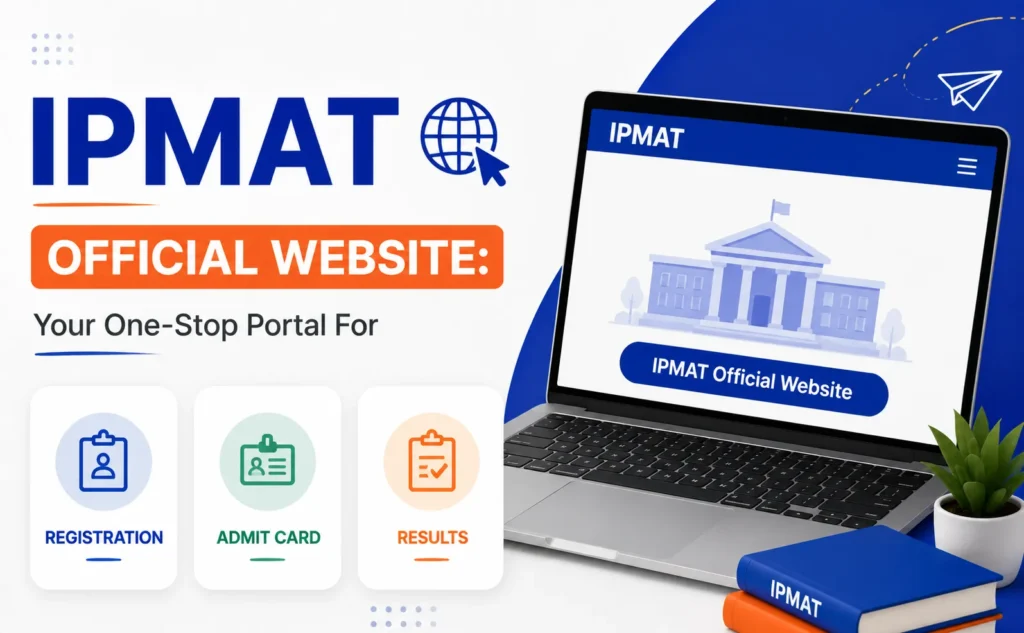
The IPMAT 2028 Official Website serves as the central hub for all activities related to the Integrated Programme in Management Aptitude Test (IPMAT). From filling out the IPMAT registration form to downloading the IPMAT admit card and checking the IPMAT result, every important step in the admission process is conducted through the official online portal.
For aspirants aiming to secure admission into the prestigious Integrated Programme in Management offered by the Indian Institute of Management Indore, staying updated through the IPMAT 2028 official website is essential. The portal regularly publishes exam notifications, registration dates, eligibility criteria, admit card announcements, result updates, and admission-related instructions.
In this comprehensive guide, we will cover everything candidates need to know about the IPMAT portal, including registration procedures, login access, application tracking, admit card downloads, result checking, and official notifications.
What is the IPMAT official website?
The IPMAT official website is the designated online platform where candidates can access all examination-related services. The portal is managed by the Indian Institute of Management Indore and acts as the authoritative source of information regarding the exam.
Through the portal, candidates can:
- Complete the IPMAT online registration process.
- Fill out the IPMAT application form.
- Upload required documents
- Pay application fees
- Download admit cards
- Access exam notifications
- Check application status
- View examination results
- Receive admission updates
Since all official communication is published on the website, candidates should regularly monitor the portal throughout the admission cycle.
Importance of the IPMAT 2028 Official Website
The IPMAT 2028 official website plays a critical role in the admission process. Missing an update regarding registration dates, admit card releases, or result announcements can affect a candidate’s application.
Key reasons why the portal is important include the following:
| Purpose | Description |
| Registration | Complete online application process |
| Notifications | Access official exam announcements |
| Login Portal | Manage application details |
| Admit Card | Download hall ticket |
| Results | Check scores and selection status |
| Application Tracking | Monitor application progress |
| Communication | Receive official instructions |
Candidates should rely only on the official IPMAT portal for accurate and verified information.
IPMAT 2028 Registration Date
One of the most searched terms every year is IPMAT registration date. The official website publishes all registration-related announcements, including:
- Application start date
- Last date for registration
- Fee payment deadline
- Application correction window
- Admit card release date
- Examination date
- Result declaration date
Candidates are advised to complete the IPMAT online registration well before the deadline to avoid last-minute technical issues.
How to Access the IPMAT Portal
Accessing the IPMAT portal is simple and requires a stable internet connection.
Steps to Visit the Portal
- Open the official IPMAT website.
- Locate the admission or examination section.
- Click on the IPMAT 2028 registration link.
- Create a new account if you are a first-time user.
- Use your registered credentials to access the portal.
Once logged in, candidates can manage all stages of their application through a single dashboard.
IPMAT Online Registration Process
The IPMAT online registration process is entirely digital and can be completed from any location.
Step 1: New Candidate Registration
Candidates must first create an account by providing the following:
- Full name
- Email address
- Mobile number
- Date of birth
After verification, login credentials are generated.
Step 2: Log in to the Portal
Using the generated credentials, candidates can access the application dashboard through the IPMAT login section.
Step 3: Fill in Personal Information
Applicants must enter the following:
- Personal details
- Academic records
- Category information
- Communication address
All information should match official documents.
Step 4: Upload Documents
Candidates are required to upload scanned copies of:
- Passport-size photograph
- Signature
- Category certificate (if applicable)
- Other supporting documents
Step 5: Pay Application Fee
The application fee can be paid online through:
- Debit cards
- Credit cards
- Net banking
- UPI
Step 6: Submit Application
After reviewing all information, candidates can submit the IPMAT application form and download the confirmation page.
IPMAT Application Form: Important Details
The IPMAT application form is one of the most crucial components of the admission process.
Before submission, candidates should verify:
| Detail | Verification Required |
| Name | Match official records |
| Date of Birth | Correct format |
| Academic Details | Accurate marks and grades |
| Contact Information | Active email and mobile |
| Uploaded Documents | Clear and valid |
| Category Details | Correct supporting documents |
Incorrect information may lead to application rejection during verification.
IPMAT Login: Features and Functions
The IPMAT login portal enables candidates to access various services throughout the admission cycle.
Services Available Through IPMAT Login
- Application form management
- Fee payment status
- Admit card download
- Application tracking
- Communication updates
- Result access
- Interview-related announcements
Candidates should securely store their login credentials to avoid future issues.
How to Recover Forgotten IPMAT Login Credentials
Many candidates forget their login information after completing registration.
If you forget your credentials:
- Visit the login page.
- Click on “Forgot Password.”
- Enter your registered email or mobile number.
- Complete verification.
- Create a new password.
The recovery process ensures uninterrupted access to the IPMAT portal.
How to Check Application Status on the IPMAT Portal
After submitting the IPMAT registration form, candidates often wish to track their application status.
Steps to Check Application Status
- Log in to the portal.
- Open the application dashboard.
- Locate the application status section.
- View verification and payment updates.
Common status indicators include:
- Submitted
- Under Review
- Verified
- Payment Confirmed
- Application Accepted
Regular monitoring helps candidates identify issues promptly.
IPMAT Admit Card Download Process
The IPMAT admit card is released through the official portal before the examination.
No candidate is permitted to appear for the exam without a valid admit card.
Information Mentioned on the Admit Card
- Candidate name
- Roll number
- Photograph
- Exam date
- Reporting time
- Exam center details
- Exam-day instructions
Steps to Download IPMAT Admit Card
- Visit the IPMAT portal.
- Access the login section.
- Enter credentials.
- Open the admit card link.
- Download and print the document.
Candidates should carefully verify all details immediately after downloading the admit card.
Common Issues While Downloading IPMAT Admit Card
Some candidates face technical difficulties while accessing the admit card.
Possible reasons include the following:
- Incorrect login credentials
- Incomplete registration
- Unsuccessful fee payment
- Server congestion
- Browser compatibility issues
If the problem persists, candidates should contact the official helpdesk.
IPMAT Exam Updates and Notifications
The IPMAT exam updates section provides real-time announcements regarding the following:
- Registration deadlines
- Exam schedule changes
- Correction windows
- Admit card release
- Result declaration
- Interview schedule
- Admission procedures
Candidates should regularly monitor official notifications instead of relying solely on social media sources.
IPMAT Notification: Why It Matters
Every major event in the admission cycle is communicated through an IPMAT notification.
Important notifications generally include:
- Exam announcement
- Eligibility updates
- Registration opening
- Registration closing
- Admit card availability
- Result publication
- Interview instructions
Missing a notification can result in missed deadlines and application complications.
IPMAT Result: How to Check Scores
The IPMAT result is published through the official website after the examination process is completed.
Candidates can access their scorecards using their login credentials.
Steps to Check IPMAT Result
- Visit the official portal.
- Open the login page.
- Enter credentials.
- Click on the result link.
- View and download the scorecard.
Candidates should save a digital copy and print a physical copy for future reference.
Details Available on the IPMAT Result
The IPMAT result generally contains the following:
| Information | Description |
| Candidate Name | Registered applicant name |
| Roll Number | Examination identifier |
| Sectional Scores | Individual section performance |
| Overall Score | Total marks obtained |
| Category Information | Reservation category |
| Selection Status | Qualification details |
Candidates should review all information carefully and report discrepancies immediately.
What Happens After the IPMAT Result?
Following the declaration of the IPMAT result, shortlisted candidates proceed to subsequent admission stages.
The official portal may publish:
- Merit lists
- Interview schedules
- Personal assessment instructions
- Document verification requirements
- Final admission offers
All post-result communication is generally routed through the official website and registered email address.
Tips for Using the IPMAT Portal Efficiently
To ensure a smooth experience:
Use a Valid Email Address
All important communication is sent through email.
Keep Login Credentials Safe
Store credentials securely for future access.
Check Notifications Frequently
Regularly visit the portal for updates.
Complete Registration Early
Avoid last-minute technical problems.
Verify Uploaded Documents
Ensure files meet specified requirements.
Save Confirmation Receipts
Keep copies of registration and payment acknowledgments.
Common Mistakes to Avoid During IPMAT Registration
Many applications face issues due to avoidable mistakes.
Incorrect Personal Details
Always cross-check your information before submission.
Uploading Invalid Documents
Follow official size and format requirements.
Missing Deadlines
Track the IPMAT registration date carefully.
Using Inactive Contact Information
Ensure your email and mobile number remain active.
Ignoring Official Notifications
Review every official announcement released through the portal.
Why Candidates Should Use Only the Official IPMAT Website
Numerous unofficial websites and forums may circulate outdated information.
The official portal remains the most reliable source for:
- Registration dates
- Application procedures
- Admit cards
- Results
- Exam notifications
- Admission announcements
Candidates should verify all information through the official platform before taking action.
Conclusion
The IPMAT 2028 official website is the foundation of the entire admission process. From completing the IPMAT online registration and submitting the IPMAT application form to downloading the IPMAT admit card and checking the IPMAT result, every major activity is conducted through the official portal.
Aspirants should regularly monitor the website for IPMAT exam updates, important IPMAT notifications, registration deadlines, and admission announcements. By understanding how the portal functions and following the correct procedures, candidates can ensure a smooth and hassle-free application experience.
FAQs
1. What is the official website for IPMAT?
The official IPMAT website is the designated portal managed by IIM Indore where candidates can register, download admit cards, check results, and access official notifications.
2. How can I register for IPMAT online?
Candidates can complete IPMAT online registration by creating an account, filling out the application form, uploading documents, paying the application fee, and submitting the form through the official portal.
3. Where can I download the IPMAT admit card?
The IPMAT admit card can be downloaded from the official portal using the candidate’s login credentials once it is released.
4. How can I check my IPMAT result?
Candidates can log in to the official website and access the result section to view and download their scorecard.
5. What should I do if I forget my login credentials?
Use the “Forgot Password” option available on the login page and follow the verification process to recover access.
6. Can I edit my IPMAT application form after submission?
Editing options depend on whether the conducting authority provides an application correction window. Candidates should check official notifications for updates.
7. How do I check the status of my application?
Log in to the IPMAT portal and access the application dashboard to view the current application status.
8. Is the IPMAT registration process completely online?
Yes, the IPMAT registration process is conducted entirely online through the official website.
9. Where can I find official IPMAT notifications?
All official IPMAT notifications are published on the official portal and are often communicated through registered email addresses.
10. How can I contact the IPMAT helpdesk?
Candidates can access the contact information and support details available on the official IPMAT website for assistance regarding registration, admit cards, results, and other queries.